12 Best Free Alternatives to Arial in 2026
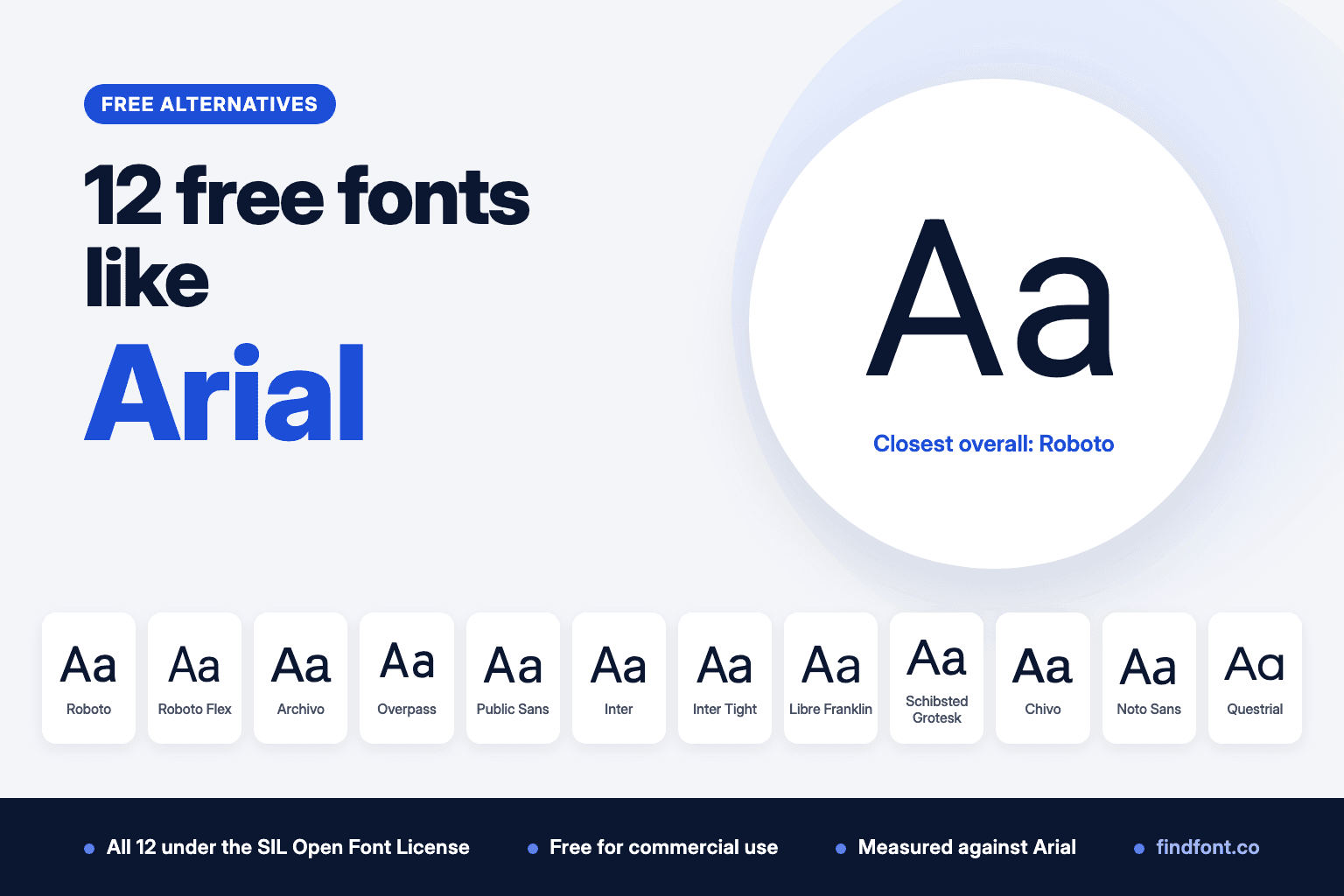
Arial ships with Windows and macOS, but you can't self-host it. Arimo matches its widths exactly, and we measured 12 more free OFL fonts against Arial.
Arial ships with Windows and macOS, so it's easy to forget that it is a commercial typeface.
Robin Nicholas and Patricia Saunders drew it at Monotype in 1982, for an early IBM laser printer (MyFonts). Microsoft made it one of the core fonts of Windows 3.1 in 1992, and every version of Windows since has included it (Microsoft). Apple lists it among the fonts in macOS Tahoe (Apple).
Monotype still owns Arial. Having it on your computer lets you use it in documents, print and images. It doesn't let you put it on a website you host. Microsoft's font FAQ says you may not copy a Windows font to a web server or convert it to WOFF or WOFF2 (Microsoft font FAQ). Web, app and server licences for Arial are sold separately through MyFonts, Monotype's own store.
So if you want Arial's plain, familiar look in a self-hosted website, an app or a template you plan to sell, you need a licence or a free font that can do the same job.
We picked 12 free fonts from the findfont catalogue. All of them use the SIL Open Font License. We also measured how tall each font's lowercase letters are and how wide the same sentence sets, compared with Arial at the same size. The results are in the section called "Which free font is closest to Arial?".
One more font, Arimo, comes first in its own section, because it matches Arial's widths exactly.
Need Arial's exact widths? Arimo
Same character widths as Arial, so line breaks don't move
One free font does something none of the 12 below can. Steve Matteson designed Arimo to be metrically compatible with Arial, for documents that have to look the same on every platform (Arimo project). Google re-released it under the SIL Open Font License in April 2026.
We checked the claim. In the regular, italic, bold and bold italic styles, every printable ASCII character has exactly Arial's width. The kerning matched in our tests too, so text sets to the same length whether kerning is on or off. Replace Arial with Arimo in a document, a template or a web page and the lines break in the same places.
The letters aren't copies of Arial's. Arimo's x-height measured 1.9% taller, so its lowercase looks a little bigger at the same size. On findfont it comes in Regular to Bold with italics, and it covers Greek, Cyrillic and Hebrew as well as Latin.
Use Arimo for
- Documents and templates moving off Arial
- Forms and reports with fixed layouts
- A web fallback that keeps Arial's line lengths
- Multilingual documents
Arimo is licensed under the SIL Open Font License 1.1. Preview and download Arimo.
Verdict. If you're moving existing work off Arial, start with Arimo. If you're designing something new, the 12 fonts below give you more choice.
1. Roboto
Best overall free alternative to Arial
Roboto is the safest swap for Arial in most projects. In our measurements, a line of Roboto ran 0.1% shorter than the same line in Arial at the same size, and its x-height was 2% taller. Paragraphs will look almost the same length.
Google describes Roboto as a font with a mechanical, mostly geometric skeleton and open, friendly curves. Monotype describes Arial in similar terms, as a sans serif with softer, fuller curves and more humanist traits than earlier industrial designs. That shared middle ground is why the two feel close in body text.
The capitals differ more. Roboto's uppercase alphabet set 6% narrower than Arial's in our test, so all-caps headings will look more compact.
Use Roboto for
- Website body text
- App and dashboard interfaces
- Documents moving away from Arial
- Product and marketing pages
Roboto is licensed under the SIL Open Font License 1.1. Preview and download Roboto.
Verdict. Choose Roboto when you want something that behaves like Arial without anyone noticing the change.
2. Roboto Flex
Closest match to Arial's size and width in our measurements
Roboto Flex came out closest of all 12 fonts. Its x-height was 0.9% shorter than Arial's and the same sentence ran 0.9% shorter. When we matched the two fonts by x-height, the line lengths were identical to one decimal place.
Google commissioned Font Bureau to rebuild Roboto as a variable font with a very wide range of weights, widths, grades and optical sizes. One file covers styles that would otherwise need separate families. That is handy if you also used Arial Narrow, because you can pull Roboto Flex's width axis in instead of finding a second font.
The trade-off is software support. Variable fonts work in modern browsers and current design tools, but some older desktop apps only show the default style.
Use Roboto Flex for
- Websites that need one font file for many styles
- Design systems with condensed and regular widths
- Responsive headlines
- Replacing both Arial and Arial Narrow
Roboto Flex is licensed under the SIL Open Font License 1.1. Preview and download Roboto Flex.
Verdict. Pick Roboto Flex when matching Arial's proportions matters most and your tools handle variable fonts.
3. Archivo
Best Arial alternative for headlines and print
Archivo is a grotesque sans serif from Omnibus-Type, first designed for headlines and modelled on late nineteenth-century American typefaces. Monotype names its own Monotype Grotesque as Arial's ancestor, so Archivo comes from the same broad grotesque tradition.
It measured close to Arial too. The x-height was 1.4% taller and the test sentence ran 1.7% shorter.
Archivo is variable on both weight and width, from Thin to Black and from Extra Condensed to Expanded. Findfont also has separate Archivo Narrow and Archivo Black families, which cover the jobs people give to Arial Narrow and Arial Black.
Use Archivo for
- Headlines and posters
- Print and editorial layouts
- Brand systems that need several widths
- Packaging
Archivo is licensed under the SIL Open Font License 1.1. Preview and download Archivo.
Verdict. Archivo is the strongest pick when Arial is doing headline work and you want more range.
4. Overpass
Closest line length to Arial, with a signage character
On width alone, Overpass was the nearest match we measured. The same sentence ran just 0.3% longer than in Arial, and the x-height was 1.5% shorter.
The letters come from somewhere else, though. Overpass is Delve Fonts' interpretation of Highway Gothic, the lettering in the US Federal Highway Administration's standard alphabets for traffic signs. Even at text sizes it keeps some of that road-sign character.
That makes Overpass a good choice when you need Arial's line lengths but want a slightly more technical voice. Compare it side by side before you commit, because it won't pass as Arial the way Roboto does.
Use Overpass for
- Wayfinding and signage
- Transport and infrastructure brands
- Technical documentation
- Interfaces that need Arial-like line lengths
Overpass is licensed under the SIL Open Font License 1.1. Preview and download Overpass.
Verdict. Overpass fits layouts built around Arial, as long as you like the highway-sign accent.
5. Public Sans
Best for government, public sector and form-heavy sites
The United States Web Design System built Public Sans on top of Libre Franklin and describes it as a strong, neutral typeface for interfaces, text and headings.
Its x-height was almost exactly Arial's, 0.3% shorter in our test. It sets a little wider, about 4.5% on the same sentence, so expect slightly longer lines.
Public Sans is neutral in the way Arial is neutral. Nothing about it pulls attention away from the content, which is what you want on forms, service pages and long policy documents.
Use Public Sans for
- Government and civic websites
- Forms and service flows
- Reports and policy documents
- Accessible interface text
Public Sans is licensed under the SIL Open Font License 1.1. Preview and download Public Sans.
Verdict. Public Sans is the plain, trustworthy option when Arial's neutrality is the point.
6. Inter
Best Arial alternative for screen interfaces
Rasmus Andersson designed Inter for computer screens. It has a tall x-height and OpenType features that help in interfaces, such as a slashed zero and tabular numbers.
That tall x-height means Inter looks bigger than Arial at the same size. Its x-height measured 5% taller and the test sentence ran 8% longer. In practice, Inter at 15px has about the same x-height as Arial at 16px.
If you're moving a product interface off Arial, Inter is worth the small amount of resizing. Labels, buttons and tables stay easy to read at small sizes.
Use Inter for
- Web and mobile app interfaces
- Dashboards and data tables
- SaaS products
- Developer documentation
Inter is licensed under the SIL Open Font License 1.1. Preview and download Inter.
Verdict. Choose Inter for interfaces, and drop the font size by about one pixel when you switch.
7. Inter Tight
Best for tight, Helvetica-style headlines
Inter Tight is a version of Inter with tighter spacing, made for display sizes. It keeps Inter's tall x-height, 5% taller than Arial's in our test, but the tighter spacing pulled the test sentence 2.8% shorter than Arial.
Arial is often set tight in headlines to look more like Helvetica. Inter Tight gives you that look without adjusting letter spacing by hand.
Don't use it for paragraphs. The spacing that looks sharp at 48px gets cramped at 14px. Pair it with regular Inter for body text.
Use Inter Tight for
- Large website headings
- Presentation titles
- Posters and ads
- Hero sections
Inter Tight is licensed under the SIL Open Font License 1.1. Preview and download Inter Tight.
Verdict. Inter Tight is for headlines only, and it's very good at them.
8. Libre Franklin
Best for editorial and news-style layouts
Libre Franklin is Impallari Type's interpretation and expansion of Franklin Gothic, the 1912 design by Morris Fuller Benton. It's an American gothic, so it has a bit more warmth and weight than Arial.
The x-height measured 2.2% taller than Arial's and the test sentence ran 4.2% longer.
Libre Franklin works well where Arial would feel too anonymous, in newsletters, magazines and campaign material. It is also the base that Public Sans was built on, so the two pair naturally.
Use Libre Franklin for
- Newsletters and editorial sites
- Headlines with some character
- Campaign and nonprofit material
- Annual reports
Libre Franklin is licensed under the SIL Open Font License 1.1. Preview and download Libre Franklin.
Verdict. Libre Franklin suits work that should feel like a newspaper rather than a system default.
9. Schibsted Grotesk
Best for digital publishing products
Schibsted Grotesk is the media group Schibsted's own typeface, a digital-first family for user interfaces that takes cues from the company's history in printed media.
It measured 1.7% taller than Arial at x-height and 5.4% wider on the test sentence. That extra width gives text a slightly more open feel on screen.
It sits between a neutral interface font and an editorial one, which makes it useful for news apps, publishing platforms and content-heavy products.
Use Schibsted Grotesk for
- News and media apps
- Publishing platforms
- Content-heavy websites
- Product interfaces with editorial content
Schibsted Grotesk is licensed under the SIL Open Font License 1.1. Preview and download Schibsted Grotesk.
Verdict. A strong option when your product mixes interface text and articles.
10. Chivo
Best for bold, confident branding
Chivo is Omnibus-Type's first grotesque family. The foundry pitches the Black weight for highlights and headlines and the Regular for continuous reading. It's variable from Thin to Black, with matching italics.
Its x-height was 1.5% shorter than Arial's and it set 6% wider on the test sentence.
Reach for the heavier weights when a brand should sound sure of itself.
Use Chivo for
- Brand headlines
- Sports and event graphics
- Posters
- Campaign landing pages
Chivo is licensed under the SIL Open Font License 1.1. Preview and download Chivo.
Verdict. Chivo is the pick when Arial feels too polite.
11. Noto Sans
Best for multilingual projects
Noto is Google's font collection for writing in every modern and ancient language. Noto Sans covers Latin, Cyrillic and Greek with 3,741 glyphs, and other Noto Sans families add the remaining scripts with a matching design.
If your Arial text includes several languages, Noto Sans is the practical replacement. You can keep one visual style across scripts instead of mixing unrelated fonts.
It runs larger than Arial. The x-height measured 3.4% taller and the test sentence ran 6.2% longer.
Use Noto Sans for
- Multilingual websites and apps
- International documentation
- Products sold in many countries
- Interfaces with user-generated text
Noto Sans is licensed under the SIL Open Font License 1.1. Preview and download Noto Sans.
Verdict. Noto Sans wins when language coverage matters more than an exact visual match.
12. Questrial
Best single-weight Arial alternative for headings
Questrial's own description says it is heavily influenced by Swiss design, in a grotesk style close to Helvetica. Many of its round letters are drawn as full circles, and its numbers are tabular, so they line up in tables.
Its test sentence ran 0.9% shorter than Arial's, with an x-height 3.6% shorter.
The catch is that findfont has Questrial in a single Regular weight. There's no bold or italic, so it can't replace Arial across a whole document. Use it for headings, logos or short text, and pair it with a fuller family.
Use Questrial for
- Headings
- Logos and wordmarks
- Short interface labels
- Price tables
Questrial is licensed under the SIL Open Font License 1.1. Preview and download Questrial.
Verdict. Questrial is a neat headline font, but plan for a second family for body text.
Which free font is closest to Arial?
Closest depends on whether you need to keep the look, the line lengths or the feel.
For identical line lengths, choose Arimo.
For the closest overall match among the 12, choose Roboto.
For the closest size and width, choose Roboto Flex.
For headlines and print, choose Archivo.
For screen interfaces, choose Inter.
For a neutral public-service tone, choose Public Sans.
For many languages, choose Noto Sans.
Our measurements
We measured the Regular weight of each font against Arial Regular, version 5.01, as shipped with macOS. Variable fonts were set to weight 400 with every other axis at its default. We compared the height of the lowercase x and the width of the sentence "The quick brown fox jumps over the lazy dog" at the same font size. The last column compares width again after scaling each font to Arial's x-height, which shows how much text will grow or shrink if you resize the replacement to look the same size.
| Font | x-height vs Arial | Same sentence, same size | Same sentence, x-height matched |
|---|---|---|---|
| Arimo | +1.9% | 0.0% | -1.8% |
| Roboto Flex | -0.9% | -0.9% | 0.0% |
| Roboto | +1.9% | -0.1% | -1.9% |
| Overpass | -1.5% | +0.3% | +1.8% |
| Archivo | +1.4% | -1.7% | -3.1% |
| Questrial | -3.6% | -0.9% | +2.7% |
| Public Sans | -0.3% | +4.5% | +4.8% |
| Libre Franklin | +2.2% | +4.2% | +2.0% |
| Schibsted Grotesk | +1.7% | +5.4% | +3.6% |
| Inter Tight | +5.3% | -2.8% | -7.7% |
| Chivo | -1.5% | +6.0% | +7.6% |
| Noto Sans | +3.4% | +6.2% | +2.7% |
| Inter | +5.3% | +8.0% | +2.6% |
Measured on 18 October 2026.
Arimo is the only font here with Arial's exact character widths. With any of the other 12, line breaks will move if you swap fonts in an existing document. Roboto and Overpass moved least in our test.
Arial versus Helvetica
Arial is often called a Helvetica copy. The truth is narrower than that.
Their character widths match. We checked all 95 printable ASCII characters in the Regular weights of Arial and Helvetica that ship with macOS, and every advance width was identical. That is why a document can usually switch between them without the text reflowing. Microsoft's notes for Windows 3.1 listed Arial as an alternative to Helvetica (Microsoft KB 83245, archived).
The letter shapes are different. A Monotype-commissioned article on Fonts.com says Arial was meant to compete with Helvetica rather than copy it (Fonts.com), and Monotype points to Monotype Grotesque as Arial's real ancestor.
If Helvetica is the look you're really after, read our guide to free fonts similar to Helvetica.
Can these fonts be used commercially?
Yes. Every font in this list is published on findfont under the SIL Open Font License 1.1. In the licence's own words, it lets fonts be "used, studied, modified and redistributed freely as long as they are not sold by themselves" (OFL).
That covers logos, websites, apps, ads, packaging and client work. You can self-host the files on your web server and bundle them in software. Two limits apply:
- You can't sell the font files on their own.
- If you modify a font that has a Reserved Font Name, your modified version needs a different name.
Arial is different. Microsoft's FAQ lets you name Windows fonts in a CSS font stack, so visitors who have Arial installed see it, and it treats images made with a font like printed output. It does not let you copy Arial to a web server, convert it to a web font format or redistribute it (Microsoft font FAQ). For those uses you need a Webfont, App or Server licence from Monotype's MyFonts store.
Always check the licence file that comes with any font you download.
How to choose the right Arial alternative
Don't judge a replacement by one word in a big preview. Test it with your real text at your real sizes.
Decide whether line length matters
If you're replacing Arial in an existing layout, such as a template, a form or a slide master, width matters as much as looks. Start with Arimo, which keeps Arial's widths exactly. Among the 12, Roboto, Roboto Flex and Overpass changed line length least.
Match the size, not the number
A font with a taller x-height looks bigger at the same point size. Inter at 15px looks about as big as Arial at 16px. Resize by eye before you compare.
Check the family
Arial comes with regular, italic, bold and bold italic, and many layouts also use Arial Narrow or Arial Black. Arimo has all four main styles, with Arial's widths in each. Questrial has a single weight. Archivo and Roboto Flex cover narrow styles. Findfont also has Archivo Narrow, Roboto Condensed and Archivo Black.
Compare side by side
Type your own heading and body copy into the findfont compare tool. That link opens seven of the fonts above with the same text. You can compare up to 10 at once.
Final recommendation
If you're replacing Arial in existing documents or templates, use Arimo. It has Arial's widths, so nothing reflows.
For new work, Roboto is the best free Arial alternative for most people. It looks familiar, it comes close to Arial's line lengths and it works everywhere.
Choose Roboto Flex if you want the closest proportions and your tools support variable fonts. Choose Archivo for headlines and print, Inter for interfaces, Public Sans for public-service work and Noto Sans for multilingual text.
The best replacement is the one that keeps your text as easy to read as it was in Arial. Test it with your own words before you decide.
Frequently asked questions
Is Arial free to use?
Arial comes free with Windows and macOS, and you can use it in documents, printed work and images. You can also name it in a website's CSS so visitors who have it installed see it. You can't upload the Arial files to your own web server, convert them to web font formats or bundle them in an app without a licence from Monotype (Microsoft font FAQ).
What Google font is closest to Arial?
Arimo. Its project describes it as metrically compatible with Arial, and in our measurements every printable ASCII character had Arial's exact width. Of the other fonts on findfont, Roboto Flex and Roboto measured closest. Roboto Flex was within 1% of Arial on x-height and line length, and Roboto was within 2%.
Who designed Arial?
Robin Nicholas and Patricia Saunders of Monotype designed Arial in 1982 (Microsoft).
Are Arial and Helvetica the same font?
No. They share character widths, so text sets to the same length in both, but the letter shapes are different designs.
What is a free alternative to Arial Narrow?
Try Archivo Narrow, Roboto Condensed or the width axis in Roboto Flex. All three are free under the SIL Open Font License.
What is a free alternative to Arial Black?
Archivo Black is a good start. Chivo's Black weight is another option for headlines.
Will replacing Arial change my layout?
Not if you use Arimo, which has Arial's character widths. With the other fonts here, some lines will break in different places. In our measurements, Roboto changed line length by 0.1% and Overpass by 0.3%.
More free font alternatives
- Free alternatives to Segoe UI
- Free alternatives to Aptos
- Free alternatives to Gotham
- Free fonts similar to Helvetica
- Free alternatives to Avenir
- Free fonts similar to SF Pro
Sources
- Microsoft Learn, Arial font family. Designers, 1982 design date, inclusion in Windows 3.1 and later versions.
- MyFonts (Monotype), Arial. IBM laser printer origin, Monotype trademark, licence types, Monotype Grotesque ancestry, design description.
- Microsoft Learn, Font redistribution FAQ for Windows. CSS font stacks, web server and WOFF restrictions, images treated like printing.
- Apple Support, Fonts included with macOS Tahoe.
- Microsoft KB 83245, New features in Windows 3.1, archived copy.
- Fonts.com, Arial vs Helvetica, by Ilene Strizver.
- SIL, Open Font License official text.
- Free font descriptions: each family's description file in the google/fonts repository.
- Arimo project on GitHub. Steve Matteson, metric compatibility with Arial, SIL Open Font License.
- Measurements: findfont, 18 October 2026, using fontTools on the font files described above. The Arimo kerning check used HarfBuzz.