Free Business Fonts: Corporate Fonts for Reports, Slides and Logos
Open-licence fonts from the findfont catalogue for business reports, slide decks and logos, plus what the licences allow your company to do.
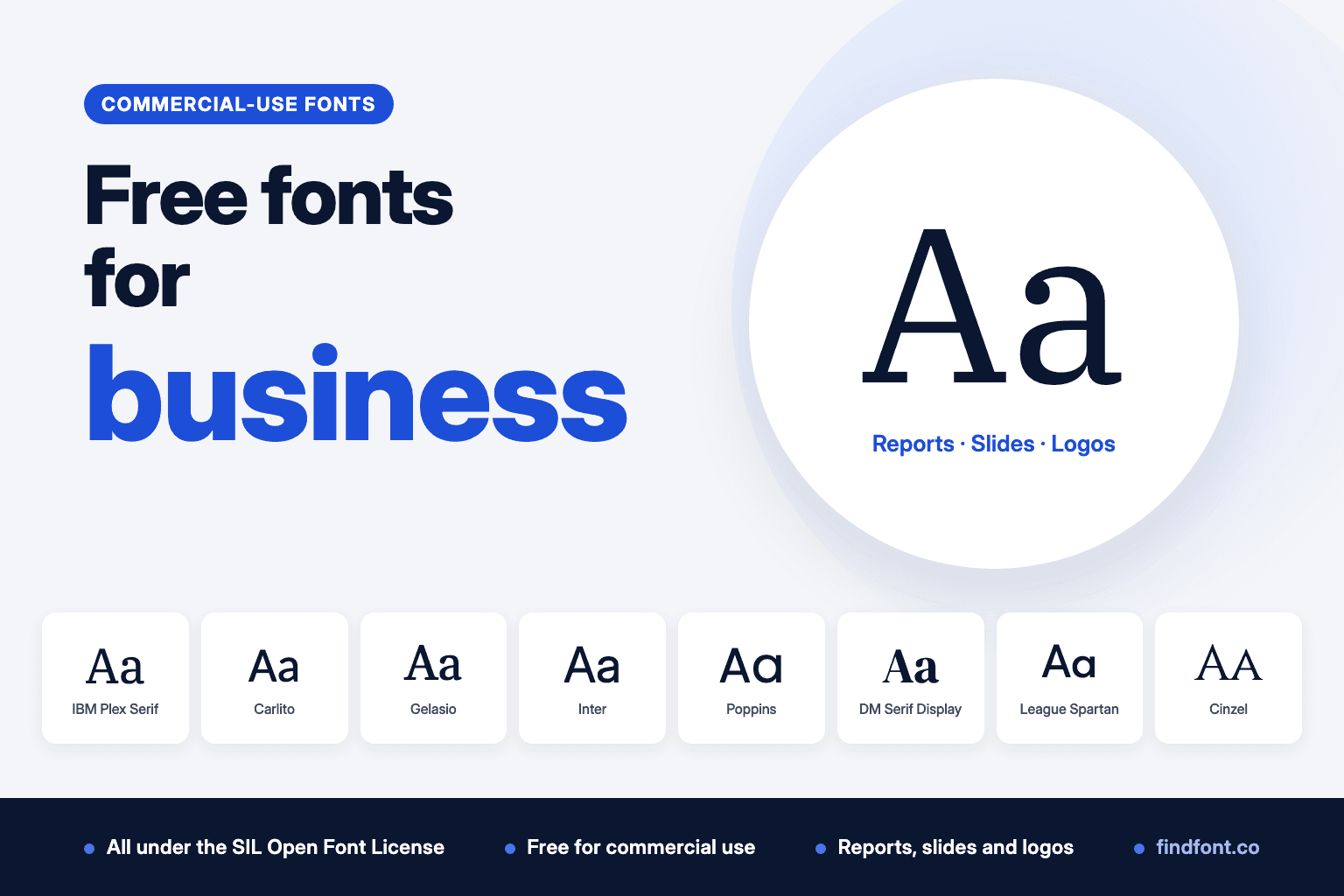
A business font has three jobs. It has to read clearly on page 40 of a report, hold up on a projector at the back of a meeting room, and look the same on every colleague's laptop. It also needs a licence your company can rely on.
Every font in this guide is in the findfont catalogue under the SIL Open Font License (OFL). We checked each one against our licence records on 18 October 2026. The OFL lets you use a font in commercial work, including client documents, presentations, ads and logos, without paying or asking permission. The commercial use section at the end explains what that covers.
What makes a good business font
- A complete family. Documents need at least Regular, Italic, Bold and Bold Italic. More weights give you clearer headings.
- Clear numbers. Reports are full of tables, prices and dates. Check how the figures look before you commit.
- It works everywhere your team works. That means installed on every computer, embedded in files you send, and available in Google Docs or Slides if your company uses them.
- A licence that covers commercial use. "Free for personal use" isn't enough for a business.
Quick picks
| Use | Font | Type | Download on findfont |
|---|---|---|---|
| Report body text | IBM Plex Serif | Serif | Separate file per style |
| Free swap for Calibri | Carlito | Sans-serif | Separate file per style |
| Free swap for Georgia | Gelasio | Serif | Variable font file |
| Slides | Inter | Sans-serif | Variable font file |
| Slides in PowerPoint | Poppins | Sans-serif | Separate file per style |
| Slide titles | DM Serif Display | Serif | Separate file per style |
| Logo, modern | League Spartan | Sans-serif | Variable font file |
| Logo, formal | Cinzel | Serif, capitals | Variable font file |
"Separate file per style" families are the safest choice for Word and PowerPoint, because bold and italic map to their own files. Variable font files hold every weight in one file. They suit websites and design apps well, but test them in Office before you roll one out.
Fonts for reports and documents
Report fonts are read for pages at a time, often printed. Look for even texture, sturdy italics and figures that sit well in tables.
Carlito: a free stand-in for Calibri
Carlito by Łukasz Dziedzic is derived from Lato and is metric-compatible with Calibri, according to its project page. Every character takes the same width as in Calibri, so a document set in Calibri keeps its line breaks and page count when Carlito replaces it. That makes it useful for templates shared with people who don't have Microsoft's fonts. It comes as four files: Regular, Italic, Bold and Bold Italic.
Gelasio: a free stand-in for Georgia
Gelasio by Eben Sorkin is an original serif whose Regular, Italic, Bold and Bold Italic are metric-compatible with Georgia, according to its project page. It adds Medium and SemiBold weights that Georgia doesn't have. It reads well on screen and in print, which suits letters, proposals and policies.
IBM Plex Serif and IBM Plex Sans
IBM Plex is IBM's own corporate typeface family, released under the OFL. IBM Plex Serif is a sturdy, slightly squared serif for long reports. IBM Plex Sans handles headings, charts and captions. Because they were designed together, they mix without clashing. For wide tables, IBM Plex Sans Condensed fits more columns into the same width.
Source Serif 4 and Source Sans 3
Source Serif 4 is part of Adobe's open-source Source family. It includes optical sizes, which are separate versions tuned for small captions and for large headlines. Pair it with Source Sans 3, Paul D. Hunt's sans-serif from the same family, for headings and tables.
Atkinson Hyperlegible Next: for accessible documents
Atkinson Hyperlegible Next comes from the Braille Institute, which designed the Hyperlegible family to improve legibility for readers with low vision. Its shapes make similar-looking characters, such as a capital I, a lowercase l and the number 1, easy to tell apart. It's a strong choice for handbooks, forms, public notices and anything sent to a wide audience.
Noto Sans: for multilingual companies
Noto Sans is part of Google's Noto project. The family on findfont covers Latin, Greek and Cyrillic, so one font can carry an English report, a Greek contract and a Ukrainian invoice in the same style.
Fonts for slides and presentations
Slides are read quickly, from a distance, on screens you don't control. Sans-serifs with open shapes and a clear range of weights work best. Keep body text large and use one or two families per deck.
Inter
Inter by Rasmus Andersson has a tall lowercase and open letter shapes, so it stays readable on projectors and in video calls. It's neutral enough for any brand and has weights from thin to black.
Montserrat
Montserrat by Julieta Ulanovsky is a wide geometric sans-serif. Its wide letters fill a title line, and its bold weights hold up in all capitals.
Poppins
Poppins, from Indian Type Foundry, is a geometric sans-serif with round, even letters. findfont's download includes a separate file for each of its 18 styles, so bold and italic in PowerPoint use real files rather than a guess.
Lato
Lato by Łukasz Dziedzic feels warmer than most geometric fonts and holds up well in bullet points and charts. Like Poppins, it ships as separate files for each style.
DM Sans and DM Serif Display
DM Sans and DM Serif Display both come from Colophon Foundry. Use DM Serif Display for slide titles and big numbers, and DM Sans for everything else. The serif titles stand apart from the sans-serif text, so the hierarchy reads from the back of the room.
Plus Jakarta Sans
Plus Jakarta Sans by Tokotype is a modern sans-serif with a slightly rounded, friendly character. It suits startup pitch decks and product launches.
Playfair Display
Playfair Display by Claus Eggers Sørensen is a high-contrast serif for headings. Keep it large. Its thin strokes are made for titles, not body text.
Presenting from someone else's computer? Fonts you installed won't be there. Embed the fonts in PowerPoint (File > Options > Save > Embed fonts in the file) or export a PDF. Our guide to installing fonts on Windows, Mac and in Word covers embedding and sharing step by step. If your team uses Google Slides, check that the family is listed under More fonts before you build the template.
Fonts for logos and brand marks
A logo font has to be distinctive at large sizes and still readable when the logo shrinks to an app icon or a favicon. Test your company name in it, not just the alphabet.
League Spartan
League Spartan by Matt Bailey and Tyler Finck is a bold geometric sans-serif. Its heavy weights keep a short company name readable from across a room or a street.
Syne
Syne, from Bonjour Monde, gets wider and more expressive in its heavier weights. It works for creative agencies, studios and cultural brands.
Space Grotesk
Space Grotesk by Florian Karsten has quirky, technical details that suit software, fintech and engineering companies.
Jost
Jost by Owen Earl is a clean geometric sans-serif with round letters. It's a plain, safe starting point for a wordmark you plan to customise.
Fraunces
Fraunces, from Undercase Type, is an old-style display serif with soft, rounded details. It suits food, hospitality and lifestyle brands.
Young Serif
Young Serif by Bastien Sozeau is a single heavy serif style. It's warm and slightly vintage, and reads well as a short brand name.
Cinzel
Cinzel by Natanael Gama is an all-capitals serif with classical, carved letterforms. It suits law firms, wineries, hotels and other brands that want a formal look.
Bebas Neue and Archivo Black
For bold, all-capitals marks, Bebas Neue by Ryoichi Tsunekawa is a tall, condensed display face made for headlines and packaging. Archivo Black from Omnibus-Type is a heavy grotesque. Each is a single style, so pair it with a text font for everything else.
Before you settle on a logo font, read 10 typography mistakes that make your brand look cheap and our guide to typography in branding.
Business font pairings
One family for headings and one for text is enough for most companies. The first three pairs below come from the same type project, so their proportions already match:
- IBM Plex Sans for headings with IBM Plex Serif for long text, in reports and white papers.
- Source Sans 3 with Source Serif 4, for policies, handbooks and documentation.
- DM Serif Display for titles with DM Sans for text, in decks and proposals.
- Playfair Display headings over Lato text. These come from different designers, but the high-contrast serif and the plain sans-serif are a common mix for brochures and annual reports.
Try your own combinations in the font pairing tool, or put shortlisted fonts next to each other in Compare.
Commercial use: what the licences allow
Of the 2,019 fonts published on findfont on 18 October 2026, 1,933 use the SIL Open Font License. Every font page has a License section showing what's allowed, with the full licence text underneath.
The SIL Open Font License (OFL)
According to the official OFL FAQ:
- You can use the font for any design work, including logos, posters, business cards, stationery, signage and video titles, without an extra licence or permission (FAQ 1.1).
- You own what you make. The artwork, document or logo is yours, not the font author's (FAQ 1.1.1).
- You don't have to credit the designer in the things you create (FAQ 1.1.2).
- You can embed the font in documents such as PDFs, and the document doesn't fall under the OFL (FAQ 1.12 and 1.13).
- You can use it on websites and in apps, including paid apps, as long as the copyright notice and licence go with the font files (FAQ 2.1, 1.4 and 1.20).
- You can install it on every company computer and share the files with colleagues. The OFL itself allows copying and redistributing the fonts; keep the licence file with them whenever you pass them on (FAQ 1.10 and 1.11).
There are two limits a business should know about:
- You can't sell the font files by themselves. They can only be sold as part of a larger software package or bundle (FAQ 1.5, 1.7 and 1.17).
- Modified fonts may need a new name. If you edit the font files themselves, for example to make a custom brand typeface, you can't use any Reserved Font Name the font declares (FAQ 5.3). Carlito, Lato, Merriweather, Playfair Display and IBM Plex ("Plex") all declare one. This applies to modified font files, not to a logo you draw with the font.
About trademarks. The OFL FAQ confirms you can use an OFL font in a logo, but it doesn't cover registering that logo as a trademark. If you plan to register your mark, ask a trademark lawyer. Adjusting the letters so the logo isn't plain typed text also makes it more distinctive.
The Commercial Desktop License (85 fonts from Typodermic)
85 fonts on findfont, all from Typodermic Fonts, use Typodermic's desktop End User License Agreement instead of the OFL. That agreement lets you install the font and use it to create, print and distribute materials. You can also embed it in electronic documents such as PDFs, as long as the font can't be extracted. It doesn't include website or mobile app embedding; those need extra licensing from the foundry. findfont's licence section marks both as not allowed.
The agreement also counts licensed desktop users, who must be your employees. If no number was set when you downloaded the font, the number is one. Before you roll a Typodermic font out across a team, read the agreement in the download and check with the foundry.
"Free for personal use" fonts
These aren't for business, including internal documents or side projects that earn money. Only one font on findfont currently has this licence, and its page shows commercial use as not allowed.
Before you pick a company font: a checklist
- Read the License section on the font page and keep the licence file with your brand assets.
- Check the family has every style you need: at least Regular, Italic, Bold and Bold Italic for documents.
- Test it with real content: a page of your report, a table of figures, your company name in the logo size and at 16 pixels.
- Test it in every app your team uses: Word, PowerPoint, Google Docs or Slides, and your website.
- Decide how files travel: install the font on every computer, embed it in documents, or send PDFs.
FAQ
What is the most professional free font? There's no single answer, but IBM Plex Serif and Source Serif 4 are safe choices for documents, Inter for slides, and Carlito when you need to match Calibri.
Is there a free alternative to Calibri? Yes. Carlito is metric-compatible with Calibri, so documents keep the same layout.
Is there a free alternative to Georgia? Gelasio's Regular, Italic, Bold and Bold Italic are metric-compatible with Georgia.
Can I use a free font in my company logo? With an OFL font, yes. The FAQ lists logos as an allowed use and says you own the artwork. For trademark registration, take legal advice.
Do I need to credit the font designer? Not for OFL fonts used in documents, slides or logos. You only need to include the copyright notice and licence when you share the font files themselves.
Looking for alternatives to a specific paid font? See our free alternatives to Helvetica and Avenir, or browse the best free fonts for commercial use.
Sources
- SIL: OFL FAQ (questions 1.1, 1.1.1, 1.1.2, 1.4, 1.5, 1.7, 1.10, 1.11, 1.12, 1.13, 1.17, 1.20, 2.1, 5.3)
- Carlito: googlefonts/carlito on GitHub
- Gelasio: SorkinType/Gelasio on GitHub
- IBM Plex: IBM/plex on GitHub
- Source Serif: adobe-fonts/source-serif on GitHub
- Braille Institute: Atkinson Hyperlegible font
- Typodermic Fonts: desktop End User License Agreement, as shipped with Typodermic fonts on findfont (for example Coolvetica)
- Licence status, designers and file types: findfont catalogue, checked 18 October 2026