What Font Is This? How to Identify a Font in an Image, Website, PDF or Logo
If you can select the text, its font name is already stored somewhere. If it's part of a picture, you need a font finder. The fastest way for each case.
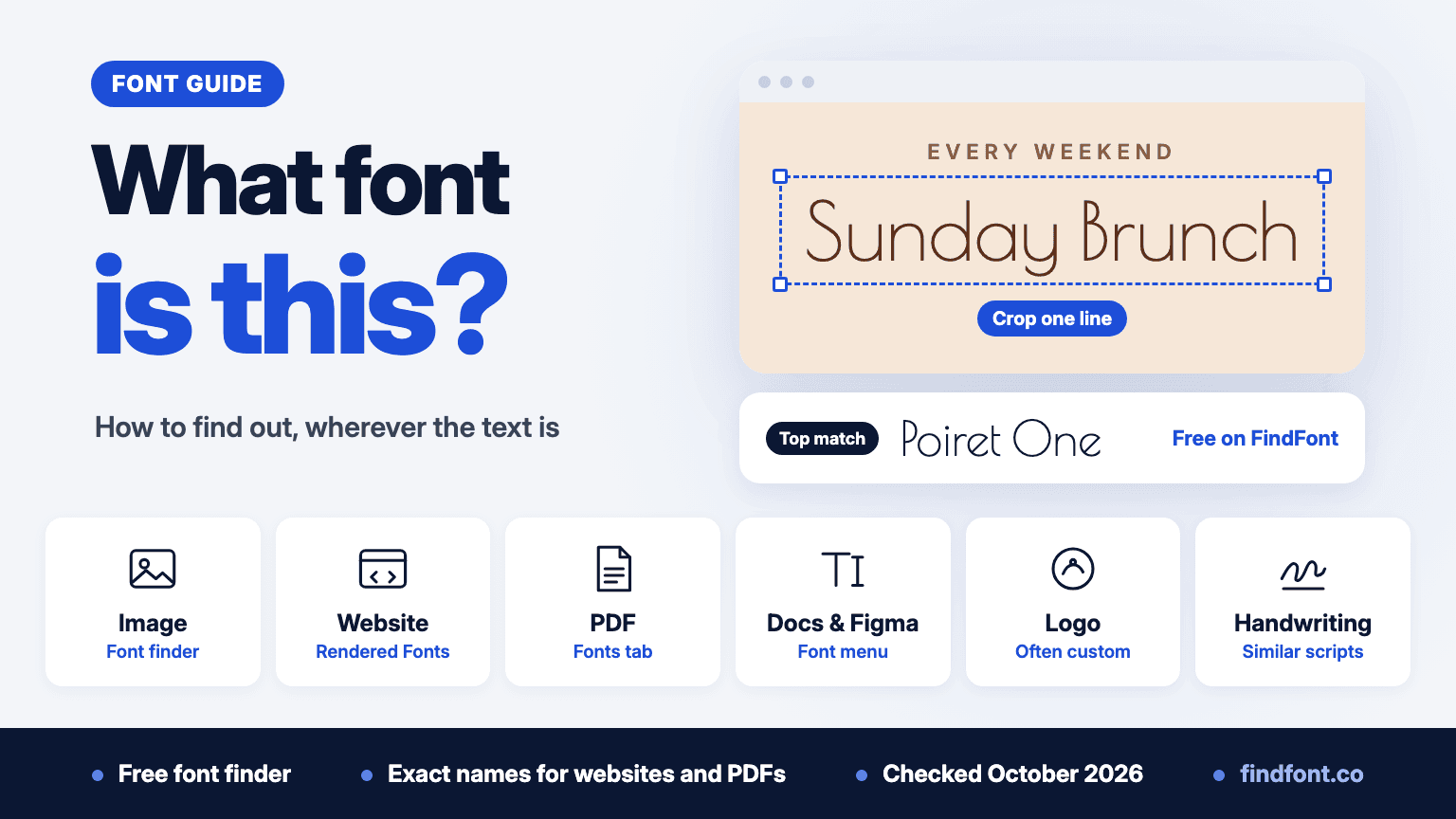
The fastest way to answer "what font is this?" depends on where the text is. If you can select it, the font's name is already stored somewhere: in the website's code, in the PDF, or in the font menu of the app it was made in. You can read it in under a minute.
If the text is part of a picture, such as a screenshot, a photo, a logo or a video frame, nothing records the font. You need a font finder that compares letter shapes, and what you get back is a shortlist to check, not a certain answer.
| Where the text is | Fastest way | You get |
|---|---|---|
| Image or screenshot | Font finder | A shortlist |
| Website | Browser developer tools | The exact name |
| The PDF's font list | The exact name, if it's real text | |
| Word, Docs, Canva, Figma | The font menu | The exact name |
| Logo | Font finder, if it's a font | Often custom lettering |
| Video or social post | Screenshot, then font finder | A shortlist |
| Handwriting | None | Similar script fonts |
Text in a screenshot, photo or image
A font finder compares the letters in your picture with the fonts in its database and ranks the closest ones. FindFont's font finder is free with a free account. It sends your crop to WhatFontIs, which compares it with its catalogue, and shows up to 20 matches.
- Start from the original image. A screenshot beats a photo of a screen, and the full-size file beats one that's been shrunk or sent through a chat app. The finder takes PNG or JPG files up to 5 MB, and you can paste a screenshot straight in.
- Crop one line in one font. Keep several whole letters, leave a little space around them, and cut out icons and any text in another style. If a design mixes a heading font and a body font, search them one at a time.
- Compare the details. Look first at the letters that differ most between similar fonts: the a and g, the leg of the R, the tail of the Q, the numbers. One or two letters often settle it.
- Check the licence before you use it. Results include free and paid fonts. A match marked "Free on FindFont" links to a page where you can download it and preview your own words.
You'll usually get something free to download. Of the 334 searches made on the finder from 21 to 25 October 2026, 290 (87%) included at least one font marked "Free on FindFont", 3.3 per search on average.
For more on cropping and comparing letters, read how to identify a font from an image.
Text on a website
If you can select the text with your cursor, your browser knows exactly which font it's using. You don't need a font finder or an extension.
Chrome and Edge
- Right-click the text and choose Inspect.
- In the panel that opens, click the Computed tab.
- Scroll to Rendered Fonts at the bottom. It names the font that drew the selected text and says "Local file" or "Network resource", depending on whether it came from your computer or was downloaded.
The font-family line higher up lists every font the site asked for, in order of preference. The browser uses the first one it can, so trust the Rendered Fonts line.
Firefox
Right-click the text, choose Inspect, then open the Fonts tab in the right-hand pane. It shows the fonts used by the selected text and can list every font on the page.
Safari
Turn on the developer tools first. Go to Safari > Settings > Advanced and tick "Show features for web developers". In older versions it's Safari > Preferences > Advanced > "Show Develop menu in menu bar". Then right-click the text, choose Inspect Element and open the Font panel in the sidebar. It shows the main font used for the selected text.
When the name looks like code
Some sites rename fonts when they build the page. A name like "__Inter_a1b2c3" in the font-family line is still Inter, with a prefix and suffix the site's build tool added. Rendered Fonts shows the font that actually drew the text, so check it first. The Network tab, filtered by Font after a reload, lists the font files. Their names sometimes give the font away, though build tools often scramble them too.
Browser extensions such as WhatFont show the font name when you hover over text, which is quicker if you do this often. On a phone, you can't open developer tools, so take a screenshot and use the font finder.
Text in a PDF
In Adobe Acrobat Reader, press Ctrl+D (Cmd+D on a Mac), or choose Menu > Document Properties on Windows or File > Document Properties on a Mac. Then click the Fonts tab. It lists the fonts in the document.
Names often look like "ABCDEF+Roboto-Regular". Six capital letters and a plus sign mean the PDF carries only the characters it uses from that font. The part after the plus is the font, here Roboto Regular.
If the Fonts tab is empty, or you can't select the text, the PDF is a scan, a picture of text, or text converted to outlines. Take a screenshot of the words and use the font finder.
If you're comfortable in a terminal, the command "pdffonts file.pdf" prints the same list. It comes with Poppler, which you can install with "brew install poppler" on a Mac or as the poppler-utils package on most Linux distributions.
Text in Word, Google Docs, Canva or Figma
Click inside the text and read the font name in the toolbar or side panel. In Word it's the font box on the Home tab, in Google Docs the font menu in the toolbar, in Canva the font name on the toolbar that appears when you select the text, and in Figma the Typography section of the right sidebar.
One catch. If a file uses a font you don't have, Word still shows the font's name but draws the text in a substitute, so the name is right but what's on screen isn't that font. Figma keeps showing the original letter shapes but marks the font as missing, and you can't edit that text until you install or replace the font. Install the font to see and edit the text as it was designed.
If the "text" is a picture pasted into the file, such as a logo, the font menu can't help. Use the font finder.
Logos and brand names
Before you search, ask whether the logo uses a font at all. Many famous logos are drawn by hand or redrawn from a font, so no finder can name them. Three examples from our famous fonts pages:
- The Coca-Cola logo is hand lettering adapted from Spencerian script, not a font.
- The Netflix logo is supplied as finished artwork, and Netflix doesn't name a font that recreates it.
- Nike's own archive documents bold Helvetica next to the Swoosh in the 1970s, but the later italic NIKE wordmark is separate artwork.
A font finder still helps with logos. It finds the closest font for your own design. Treat that as a starting point, not proof of what the brand used, and remember that a brand's logo is usually a trademark you can't copy.
Video, Instagram and TikTok
Pause where the text is large and still, take a screenshot and crop it in the font finder. Video compression blurs edges, so try a few frames and keep the sharpest.
Fancy text in an Instagram bio or profile name isn't a font at all. Instagram doesn't let you pick fonts there, so it's made of Unicode characters, special letters that look bold, italic or script and that most apps can display. Screen readers may read them letter by letter or skip them. To check any fancy text, copy it and paste it into a plain notes app. If it still looks fancy, it's Unicode. You can make your own with the Instagram font generator.
Handwriting and signatures
A font finder can only match fonts, and someone's handwriting isn't one. It will still suggest script fonts with a similar feel, which helps if you want that look. To try script fonts with your own words, use the handwriting and signature generators.
Can an AI chatbot tell you what font this is?
Sometimes. In October 2026 we sent pictures of text in known fonts to four AI models through their APIs, with web search turned on. There were five clean images in free Google Fonts and six messy photos in fonts such as Futura, Didot, Gill Sans and Copperplate. Opus answered each clean image three times and the others twice, so its total is out of 27. It's a small test, not a benchmark.
| Model | Answers that named the right font |
|---|---|
| Claude Opus 5.5 | 27 of 27 |
| Claude Haiku 5.5 | 16 of 22 |
| GPT-6.1 Sol | 11 of 22 |
| GPT-6 Luna | 7 of 22 |
The wrong answers were worded just like the right ones, with the same "best match" hedges, so the tone won't tell you which is which. GPT-6.1 Sol called Copperplate "Gotham Bold" and Avenir Next "Arial Bold". A chatbot is fine for a first guess, but check its answer against the letters in your picture, the same way you'd check a font finder's results.
When the font turns out to be paid
Many of the fonts people ask about are commercial. Helvetica, Futura, Gotham and Proxima Nova are among them. You can buy a licence, or use a free font that looks close. Our free alternatives guides cover Helvetica, Futura, Gotham, Proxima Nova, Avenir, SF Pro and Arial. Test the candidates with your own words in Compare.
Why a font finder gets it wrong
- The font isn't in its database. A finder can only suggest fonts it knows, so custom and very new fonts come back as near misses.
- The letters were changed. Outlines, shadows, stretching, curved text and perspective all change the shapes it compares.
- The crop has too little to go on. Three letters give it far less to work with than a whole word, and two fonts in one crop confuse it.
- The fonts are near twins. Arial and Helvetica are the classic case. Helvetica's R has a curved, upright leg, while Arial's is a straight diagonal. Helvetica's G has a spur at the bottom right and Arial's doesn't. The top of Arial's t is cut at an angle, and Helvetica's is flat.
FAQ
Is there a free font identifier?
Yes. FindFont's font finder is free. You need a free account to search, identification has no paid tier, and there's a daily search limit. For text you can select, your browser's developer tools and a PDF's font list are free too, and they give the exact name.
Can I find a font from a screenshot on my phone?
Yes. Take the screenshot, open the font finder in your phone's browser and upload it. Crop to one line of text before you search.
What if the font finder shows several close matches?
Compare the letters that differ most, such as the R, G, a, g and the numbers. Then test the best two or three with your own words in Compare. If none is exact, the closest free match is often good enough for a new design.
Is it legal to use a font I identified?
Identifying a font is fine. Using it depends on its licence. Every font page on FindFont shows its licence, and most are under the SIL Open Font License, which allows commercial use. A paid font needs a licence from its foundry or a store.
Related guides: how to identify a font from an image, how to install fonts on Windows, Mac and in Word, the best free fonts in 2026 and the fonts behind famous logos.